Rootless Web Server Lab
Objective: Deploy a rootless Apache HTTP server using Podman and serve a custom webpage without requiring root privileges.
-
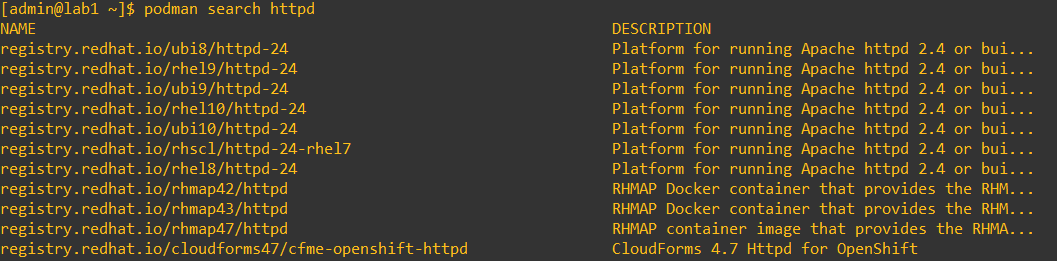
1. Search for the httpd image
podman search httpdNote: This shows available httpd images.
-
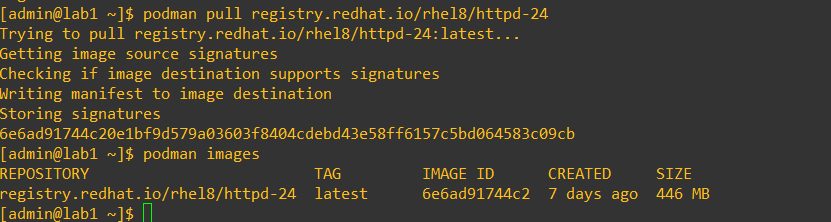
2. Pull the httpd image
podman pull registry.redhat.io/rhel8/httpd-24Note: This lab uses the Red Hat registry for RHEL 8 images.
-
3. Create a directory to bind to the container
mkdir -p /home/admin/webserver/htmlNote: Rootless containers require a directory owned by the non-root user. This lab uses
/home/admin/webserver/html.
-
4. Create a custom webpage
echo "<h2>This is our custom page</h2>" > /home/admin/webserver/html/index.htmlNote: This file will be served by the container.

-
5. Run the container with port and bind mount
podman run -d --name my_httpd \
-p 1080:8080 \
-v /home/admin/webserver/html:/var/www/html \
registry.redhat.io/rhel8/httpd-24:latest
Note: Rootless containers cannot bind ports below 1024. Container port 8080 is mapped to host port 1080.
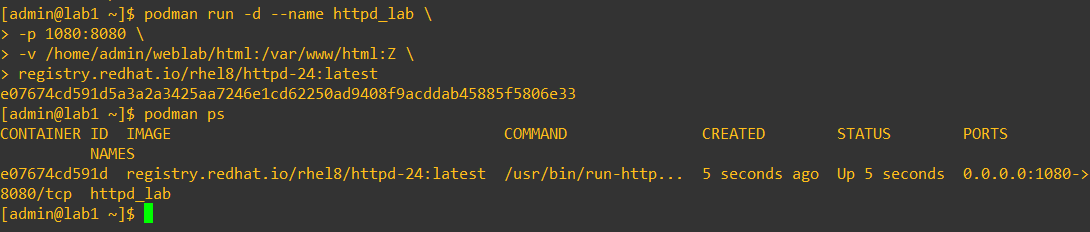
Note: Notice the
:Zat the end of the mount. This relabels the storage for SELinux. Without it you would receive a permission denied or forbidden error. -
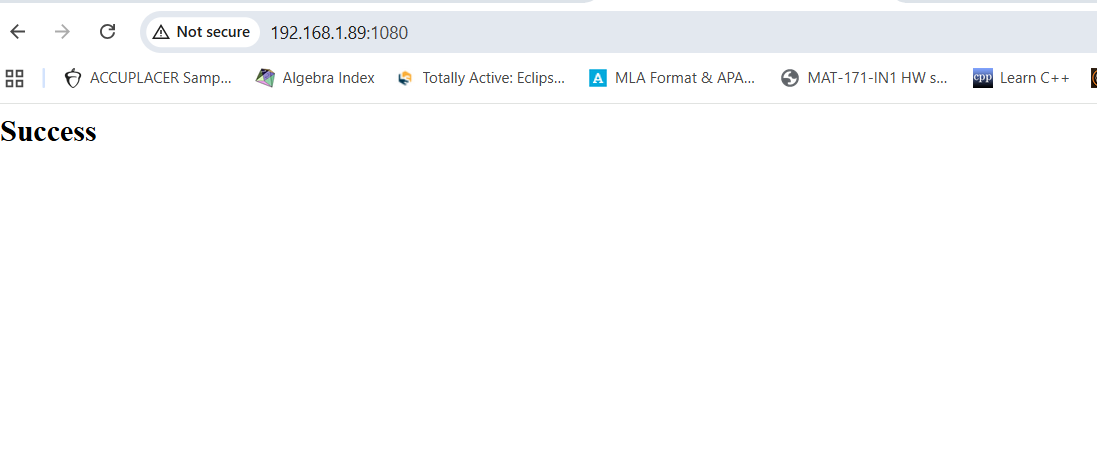
6. Verify web access
curl http://localhost:1080Note: You can also open this URL in a browser to see your custom page.
-
7. Extra Notes
- Running containers rootless improves security by avoiding elevated privileges.
- Ports below 1024 cannot be bound without root; map to a higher host port instead.
- Rootless containers still inherit the host’s kernel security, so keep your OS patched and firewall configured.
- To avoid remembering non-standard ports, a reverse proxy can be used; this will be labbed in a future project.
Prerequisites:
- RHEL 8 system- Podman installed
- Firewall allows desired ports (e.g., 1080)
- Basic Linux command line knowledge
- Non-root user with home directory access