Joining a RHEL 8+ System to Active Directory
Objective: Join a RHEL 8+ system to an Active Directory domain using realmd and SSSD.
Prerequisites:
-
- realmd
- sssd
- adcli
- oddjob
- oddjob-mkhomedir
- Time synchronization with DC
-
1. Install Required Packages
sudo dnf install realmd sssd adcli oddjob oddjob-mkhomedir -y -
2. Configure DNS
If using DHCP, configure the client to use the Active Directory DNS server:
sudo nmcli conn modify "connection_name" ipv4.ignore-auto-dns yes ipv4.dns <AD_DNS_IP>
sudo nmcli conn up "connection_name"
Optional: Configure DNS search domain:
sudo nmcli conn modify "connection_name" ipv4.dns-search home.lab -
3. Set Hostname
Ensure the system has a proper FQDN before joining the domain:
sudo hostnamectl set-hostname rhel1.home.lab -
4. Configure Crypto Policy (RHEL 8+ Requirement)
RHEL 8+ enforces stricter crypto policies that may prevent successful Kerberos negotiation with AD.
sudo update-crypto-policies --set DEFAULT:AD-SUPPORTImportant: This must be completed before running
realm join. If the join is performed first, the computer object may need to be removed from Active Directory and rejoined.
-
5. Modify Kerberos Configuration (If Required)
Edit the Kerberos configuration file:
sudo vi /etc/krb5.confUnder
[libdefaults], add:
<-- this can be removeddefault_tgs_enctypes = aes256-cts-hmac-sha1-96 aes128-cts-hmac-sha1-96 rc4-hmac default_tkt_enctypes = aes256-cts-hmac-sha1-96 aes128-cts-hmac-sha1-96 rc4-hmac permitted_enctypes = aes256-cts-hmac-sha1-96 aes128-cts-hmac-sha1-96 rc4-hmacReboot after making changes:
-->sudo reboot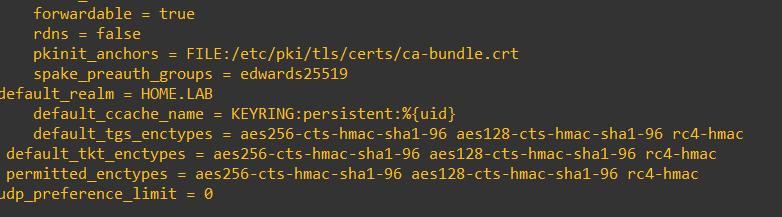
-
6. Discover the Domain
sudo realm discover home.lab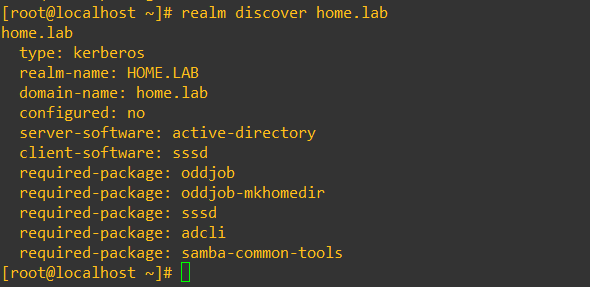
-
7. Join the Domain
sudo realm join -U Administrator home.labEnter the Active Directory administrator password when prompted.
Verify domain membership:
sudo realm list -
8. Update DNS Registration
Force the system to register its DNS records in Active Directory:
- In the server manager click Tools -> DNS -> Forward Lookup Zones -> your.lab and you should see an A record for the computer (rhel)sudo adcli update --domain=home.lab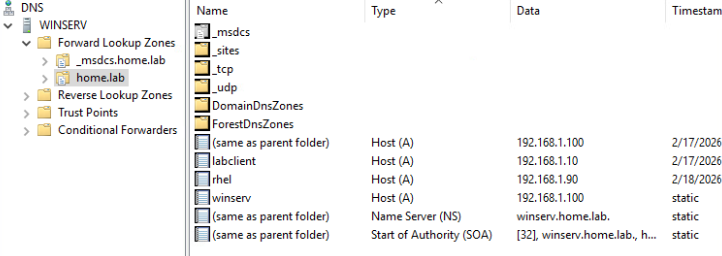
Verify name resolution:
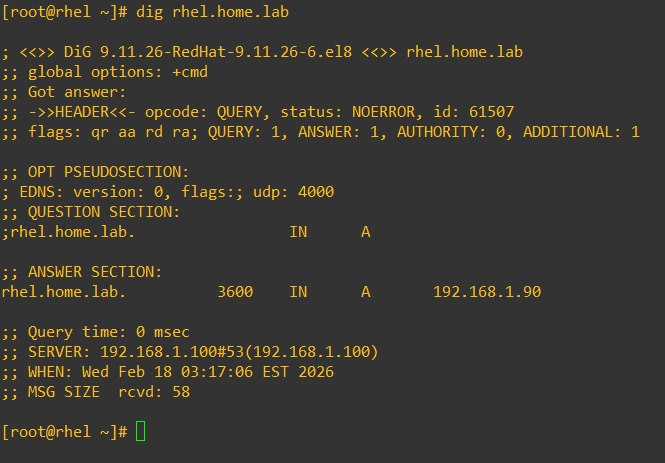
ping rhel.home.lab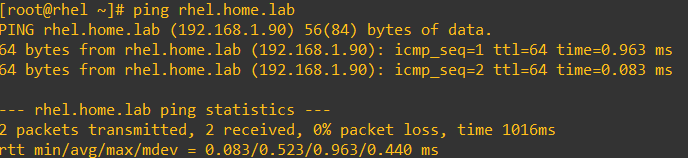 dig rhel1.home.lab