Prerequisites
- Windows 10/11 client machine
- Administrator privileges on the client
- Active Directory Domain Controller already configured (e.g., my.lab)
- Network connectivity between client and DC
- DNS points to the AD domain controller
1. Open System Settings
On the Windows client, right-click Start → System, then select About → Domain or Workgroup.
2. Join Domain
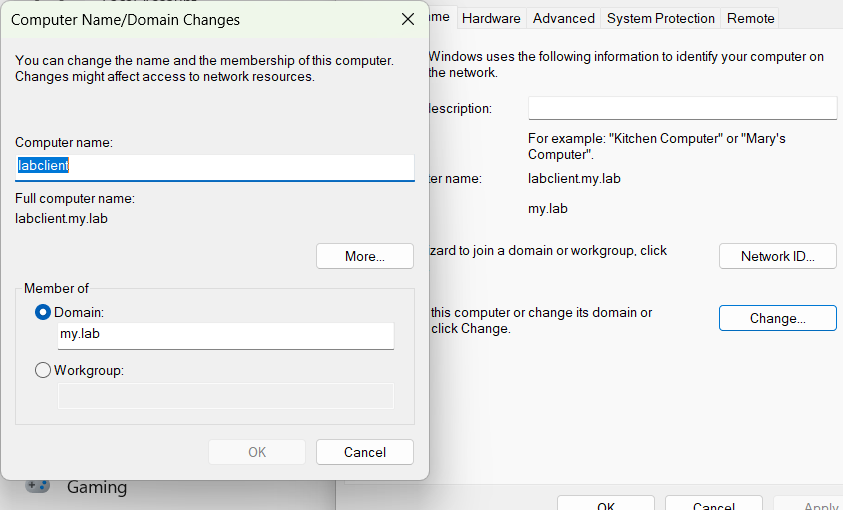
Click Change button and enter your AD domain name.
3. Enter Domain Credentials
Provide credentials for a domain account with permission to join computers:
Domain Admin: Administrator
Password: HomeLab123
4. Restart the Client
Right click Start button -> Shut down or sign out -> Restart.
5. Verify Domain Membership
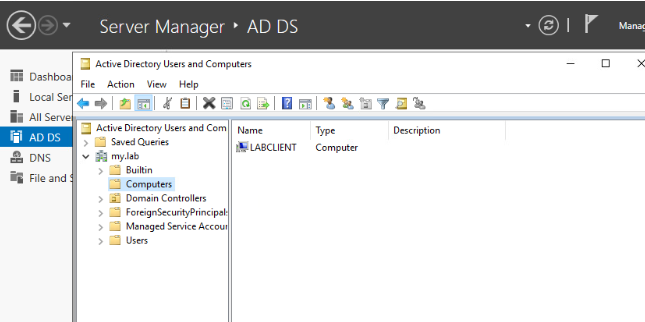
Log in to AD DC and verify that the computer appears in Active Directory Users and Computers → Computers on the DC.
Computer Name: LABCLIENT
Domain: my.lab